
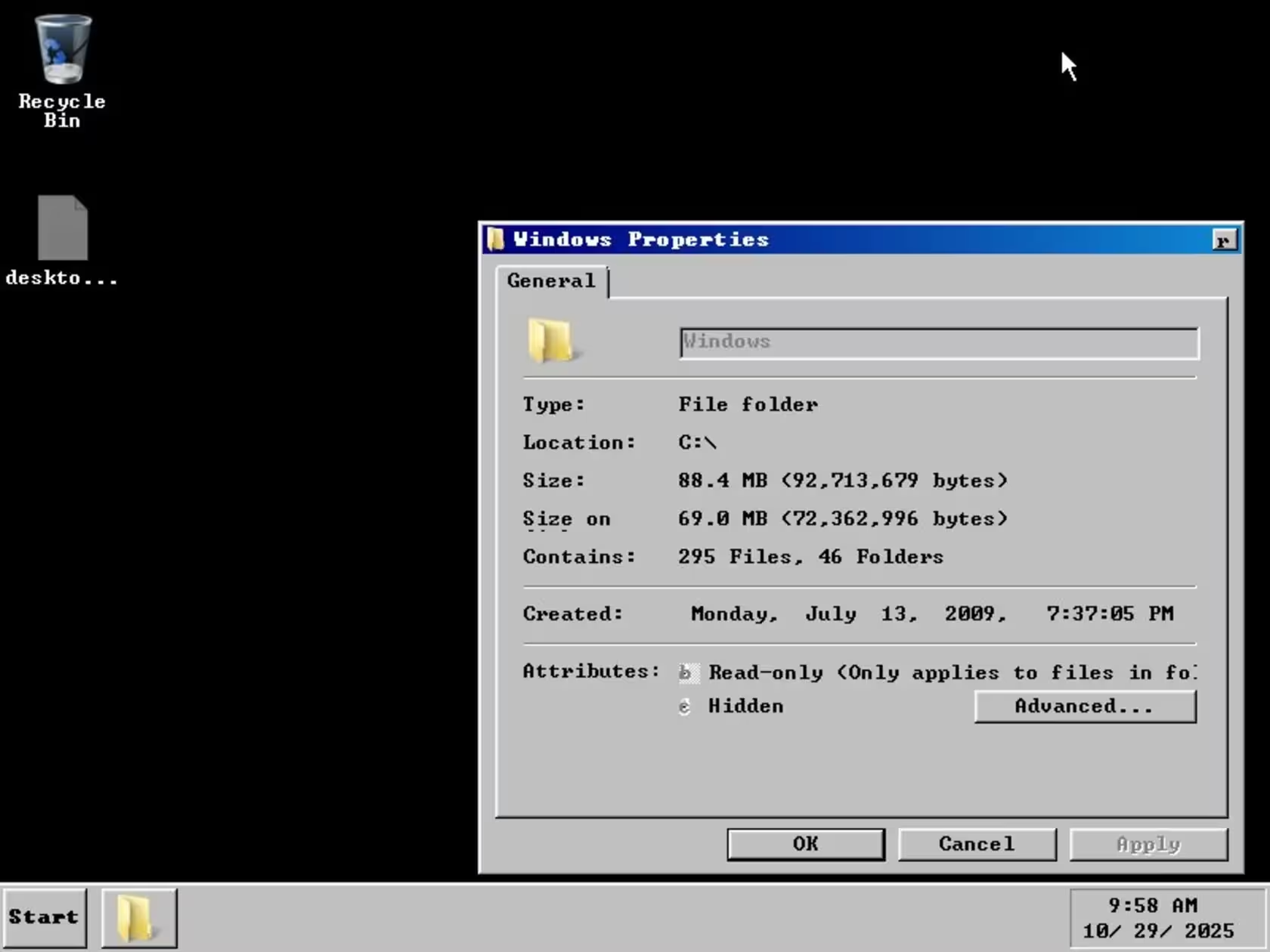
Believe it or not, someone has squeezed Windows 7 down to a remarkable 69MB. What started as a curiosity experiment has turned into a striking technical proof-of-concept that challenges assumptions about how light a modern OS can be.
How XenoPanther shrank Windows to 69MB
The project began as a single post by a user named XenoPanther on X (formerly Twitter). Their goal was simple: remove as many nonessential components as possible while keeping a bootable system. Unlike Tiny11 — which trims Windows for real-world daily use — this build is explicitly an experiment to test the limits of compression and modular removal.
What’s actually left inside?
Don’t expect the polished Windows 7 experience you remember. The interface is bare-bones, dark, and stripped of background images and system flourishes. Yet, impressively, the OS still boots and even shows the familiar “unsupported hardware” warning in some cases — a reminder that certain core behaviors persist no matter how small the package.
- Size: ~69MB — orders of magnitude smaller than official ISOs.
- Purpose: Proof of concept, not a daily driver.
- Appearance: Minimal and utilitarian — functionality over polish.
- Availability: The build has been shared online for enthusiasts to download and test.
Why this matters — beyond novelty
At first glance, this might read like a hobbyist stunt. But it highlights a few interesting trends: the appetite for lightweight systems, the persistence of digital nostalgia for older Windows releases, and the technical creativity of independent developers. Projects like Tiny11 showed that trimming fat can create usable, responsive systems. XenoPanther’s 69MB build takes that idea to an extreme, asking: how little is still enough to boot?
Should you try it?
If you’re curious about operating-system internals, retro computing, or compression techniques, it’s worth experimenting with — but tread carefully. This build is unstable, lacks routine security updates, and omits many drivers and services. It’s best used in isolated environments like virtual machines or controlled test rigs, not on primary hardware.
Whether you see it as a clever stunt or an elegant technical exercise, the tiny Windows 7 project is a reminder that developers still find inventive ways to push software boundaries. For those interested, the build is available through XenoPanther’s posts online — but remember: extreme minimalism comes with trade-offs in security and usability.

Leave a Comment
Comments
No comments yet. Be the first.