

2 Minutes
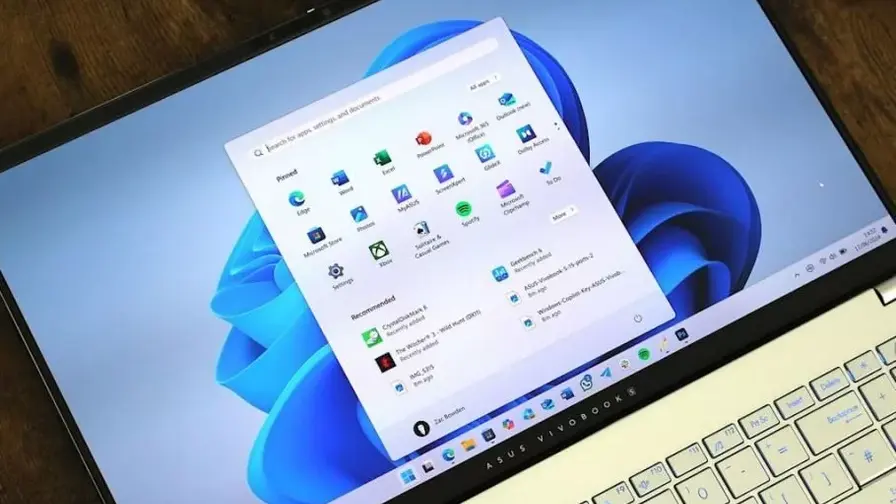
Microsoft is making it harder to install Windows 11 without a Microsoft account or an active internet connection. In recent preview builds the company has removed several methods users relied on to create local accounts during initial setup (OOBE), forcing online sign-in to complete the process.
What's changing in the Windows 11 OOBE
In the latest preview releases Microsoft says it has "removed known mechanisms for creating a local account in the Windows Setup experience (OOBE)." The company argues those workarounds not only bypass Microsoft account setup but can also skip important configuration screens, potentially leaving a device "not fully configured for use."
Why many users prefer offline or local installs
For power users and privacy-minded people, installing Windows 11 offline with a local account is about control. Common reasons include:
- Skipping full-screen promos for Game Pass, Microsoft 365, Phone Link and other Microsoft services.
- Avoiding automatic OneDrive enrollment or mandatory BitLocker prompts until the user chooses them.
- Installing specific drivers manually rather than letting Windows Update push potentially unwanted changes during OOBE.
Imagine setting up a fresh PC and immediately being routed into sign-ups and featured services—many people want an uncluttered start, and local/offline setup has been the easiest way.
Microsoft's rationale — and why some users push back
Microsoft frames the change as a quality-control move: bypassing OOBE could skip screens required to get a device fully configured. Critics argue that's a convenient justification for nudging users into Microsoft accounts and online services. The removal of the oobe\bypassnro trick and similar commands signals a firm shift toward an online-first setup flow.

What comes next — workarounds and community reaction
The Windows enthusiast community has a long history of developing guides and utilities to restore older behaviors. Where Microsoft tightens restrictions, users and independent developers often find new workarounds. Expect step-by-step guides, registry tweaks, or modified installer options to appear as preview updates roll out.
Whether you agree with Microsoft’s approach or not, the change raises a clear question for anyone who values setup flexibility: are you comfortable defaulting to an online, account-linked setup, or will you wait for community methods to reclaim local installs?







Leave a Comment
Comments
No comments yet. Be the first.