
3 Minutes
Samsung Galaxy phones were quietly targeted by sophisticated spyware hidden inside image files for nearly a year before a permanent fix was widely deployed. The attack exploited a zero-day flaw in Samsung's image processing library and gave operators deep access to victims' devices without any user clicks.
How the exploit worked and what LANDFALL did
Security researchers traced the campaign to a zero-day vulnerability in Samsung’s Android image processing library (CVE-2025-21042). Attackers embedded the LANDFALL spyware inside malformed DNG image files; the corrupted images were crafted to trigger the library flaw when the phone attempted to decode or preview them. That single, silent step was enough to execute the payload.
Once installed, LANDFALL offered full surveillance capabilities: live microphone recording, call interception, GPS tracking, access to photos, messages, contacts, call logs and browsing history. It was also engineered to evade detection — surviving reboots and hiding from antivirus scans.
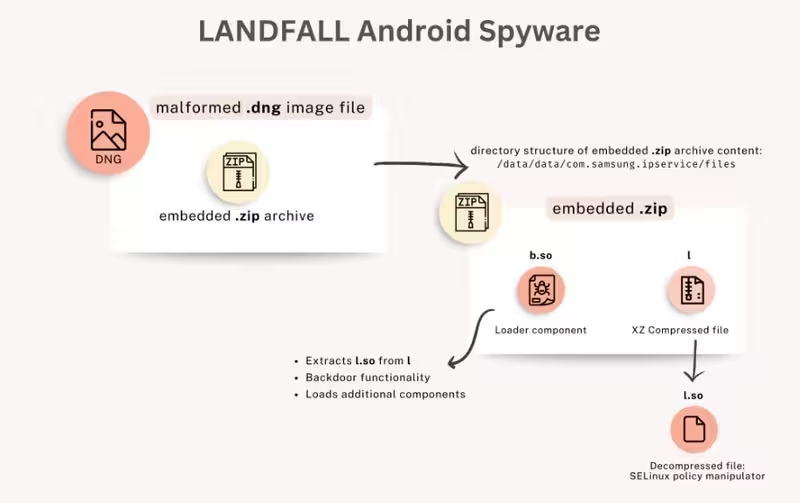
Flowchart for the LANDFALL spyware
Targets, timeline and platform scope
Palo Alto Networks Unit 42 reported that LANDFALL was used in targeted espionage campaigns active in mid‑2024, months before Samsung patched the issue in April 2025. The attacks were not mass-distributed but aimed at specific individuals, primarily across parts of the Middle East — including Turkey, Iran, Iraq and Morocco.
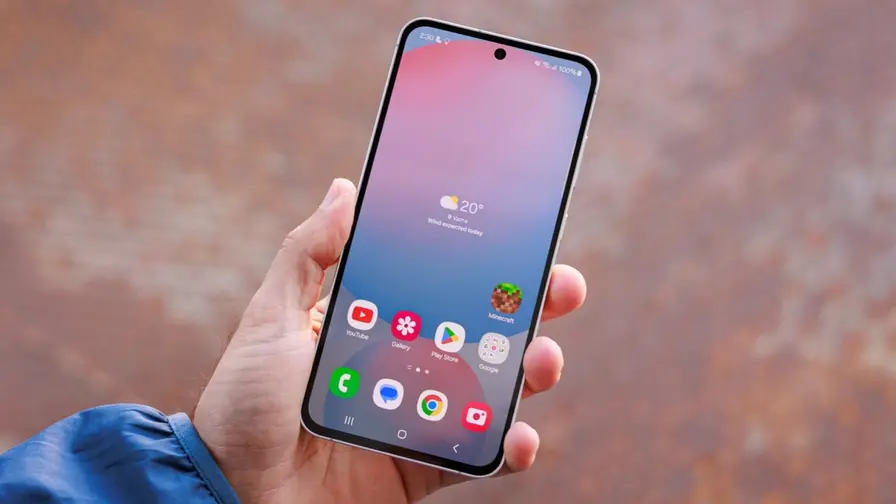
Devices identified as affected include Galaxy S22, S23 and S24 families, plus the Z Fold 4 and Z Flip 4. Notably, early reports indicate the Galaxy S25 line was not targeted.
After the April patch for CVE-2025-21042, Samsung later fixed a separate imaging-library zero-day (CVE-2025-21043) in September 2025. Meta, WhatsApp’s parent company, has publicly said it found no evidence that WhatsApp itself delivered the exploit, despite initial reporting that malicious DNG files were sent over messaging platforms.
Why this mattered — and why no clicks were needed
This campaign underscored a dangerous trend: media parsing libraries are a frequent attack surface because they must handle many complex and sometimes proprietary formats. A carefully malformed image file can trigger remote code execution during automatic processing, so users didn’t have to open or tap anything for compromise to occur — merely receiving the file could be enough if the phone auto‑processed previews or thumbnails.
Practical steps to protect your Galaxy
- Install updates: Make sure your device has the April 2025 Android Security update or later (and any subsequent Samsung patches).
- Disable auto‑download/preview: Turn off automatic media downloads and auto-preview in messaging apps like WhatsApp and Telegram.
- Use hardened modes: Enable Android’s Advanced Protection or, on iOS, Lockdown Mode if you’re a high‑risk user.
- Limit app permissions: Revoke unnecessary access to microphone, location and storage for apps that don’t need them.
- Monitor for unusual behavior: Watch for unexplained battery drain, strange network activity or sudden changes in app behavior.
In short: update now, stop auto‑downloading unknown media, and treat unexpected files — even from contacts — with caution. The LANDFALL episode is a reminder that even everyday features like image previews can become attack vectors when vulnerabilities exist in core libraries.
.webp "Apple Issues Emergency iOS Patch After Zero-Click Exploit Threatens Crypto Wallets")







Leave a Comment
Comments
No comments yet. Be the first.