
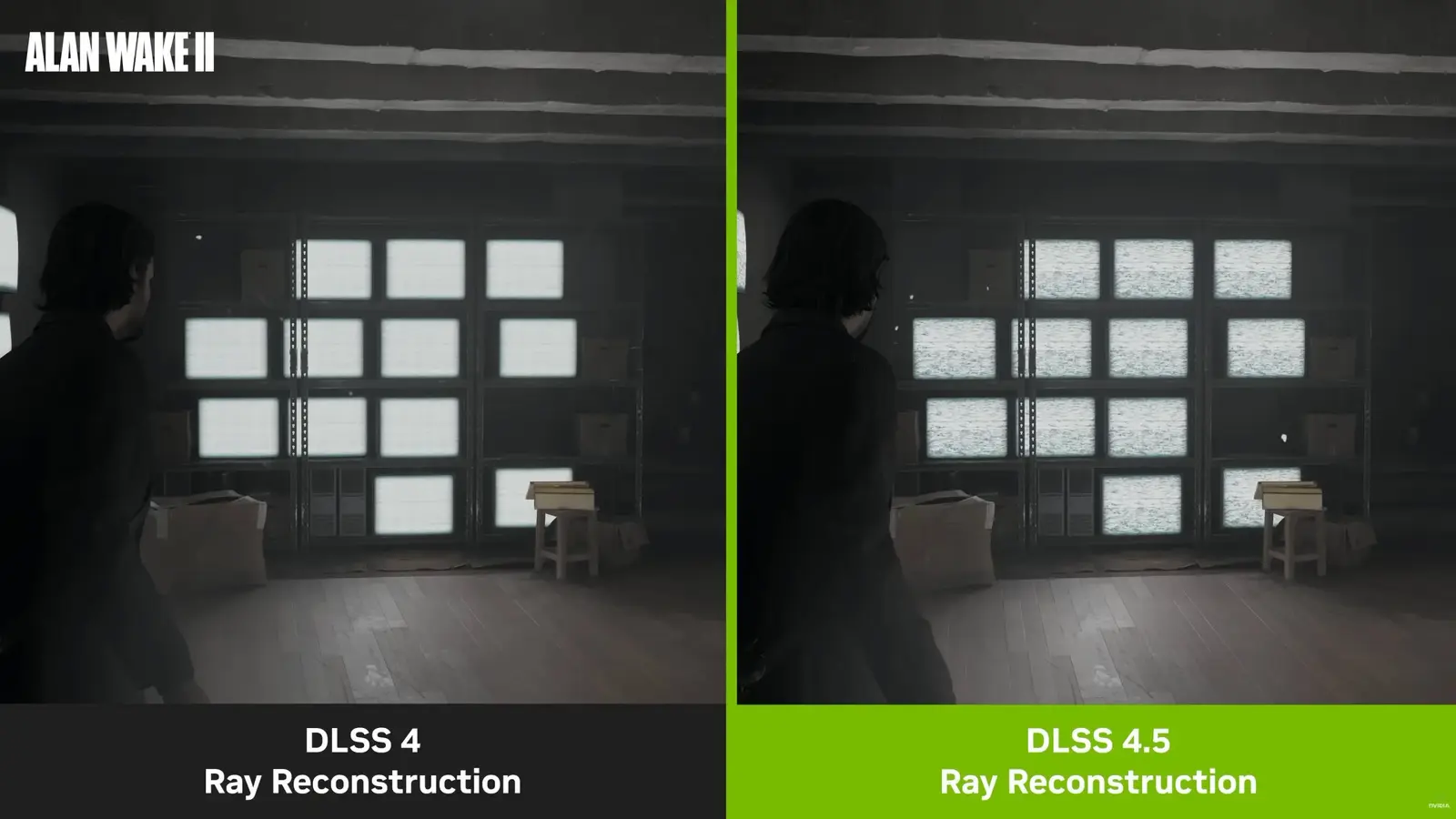
Picture a rainy street where reflections stop wobbling and laser trails no longer smear into ghosts. That’s the promise Nvidia is selling with DLSS 4.5 Ray Reconstruction — and the company has shipped the first version that brings tangible visual gains to a wide range of GeForce RTX cards.
At the heart of the update is a second-generation transformer model, the same kind of neural engine Nvidia trains in massive datacenters on Blackwell GPUs. But this isn’t buzzword recycling. The model was fed larger datasets, more error cases, and a richer range of motion, lighting and geometry scenarios so it learns how games break and, more importantly, how to fix them.

The new DLSS Ray Reconstruction merges denoising and super-resolution into a single pass that reasons about both space and time. The result is images that feel sharper and more stable, with reflections, lighting and disocclusions reconstructed closer to how a scene would look when rendered natively. Short version: less blurring, fewer flickers, and fewer disappearing particles.
DLSS 4.5 Ray Reconstruction works on all GeForce RTX cards back to the RTX 20 series. That includes RTX 20, RTX 30, RTX 40 and the new RTX 50 family — so upgrades aren’t limited to the latest silicon.

Which improvements matter most? The denoiser is more efficient, handling about 20 percent more parameters with roughly 35 percent more processing headroom while keeping frame-rates essentially unchanged. Super-resolution has evolved, too: the neural model interprets pixel sampling and motion vectors with deeper spatial awareness, giving more accurate lighting and crisper motion in scenes driven by Ray Tracing and Path Tracing pipelines.

Nvidia also exposes finer control to developers over temporal accumulation. In plain terms, that helps studios tune how the engine blends frames over time, dialing down ghosting and improving how moving details resolve. Training on a broader dataset means the model makes smarter choices about which engine-provided cues to trust — a subtle, but meaningful step toward visuals that stop calling attention to themselves.

Want to try it? Install the latest GeForce Game Ready Driver and the NVIDIA App. Open the app, go to Graphics, pick your game, and enter DLSS Override - Model Presets. Preset F flips the switch for DLSS 4.5 Ray Reconstruction; Preset D will fall back to the earlier DLSS 4 model. Enable the NVIDIA Overlay and show DLSS stats if you like to verify the override is active before you jump back into the game.

How does it look in the wild? Tests on an RTX 5090 across a handful of titles paint a consistent picture. Capcom’s RE Engine games, for instance, gain noticeably cleaner mirror and puddle reflections in Resident Evil Requiem; small props on the ground keep more micro-detail instead of fuzzing out. In Pragmata the biggest visible win was reduced ghosting behind moving laser lines — motion feels sharper because the reconstruction updates almost instantly, instead of trailing a translucent smear.

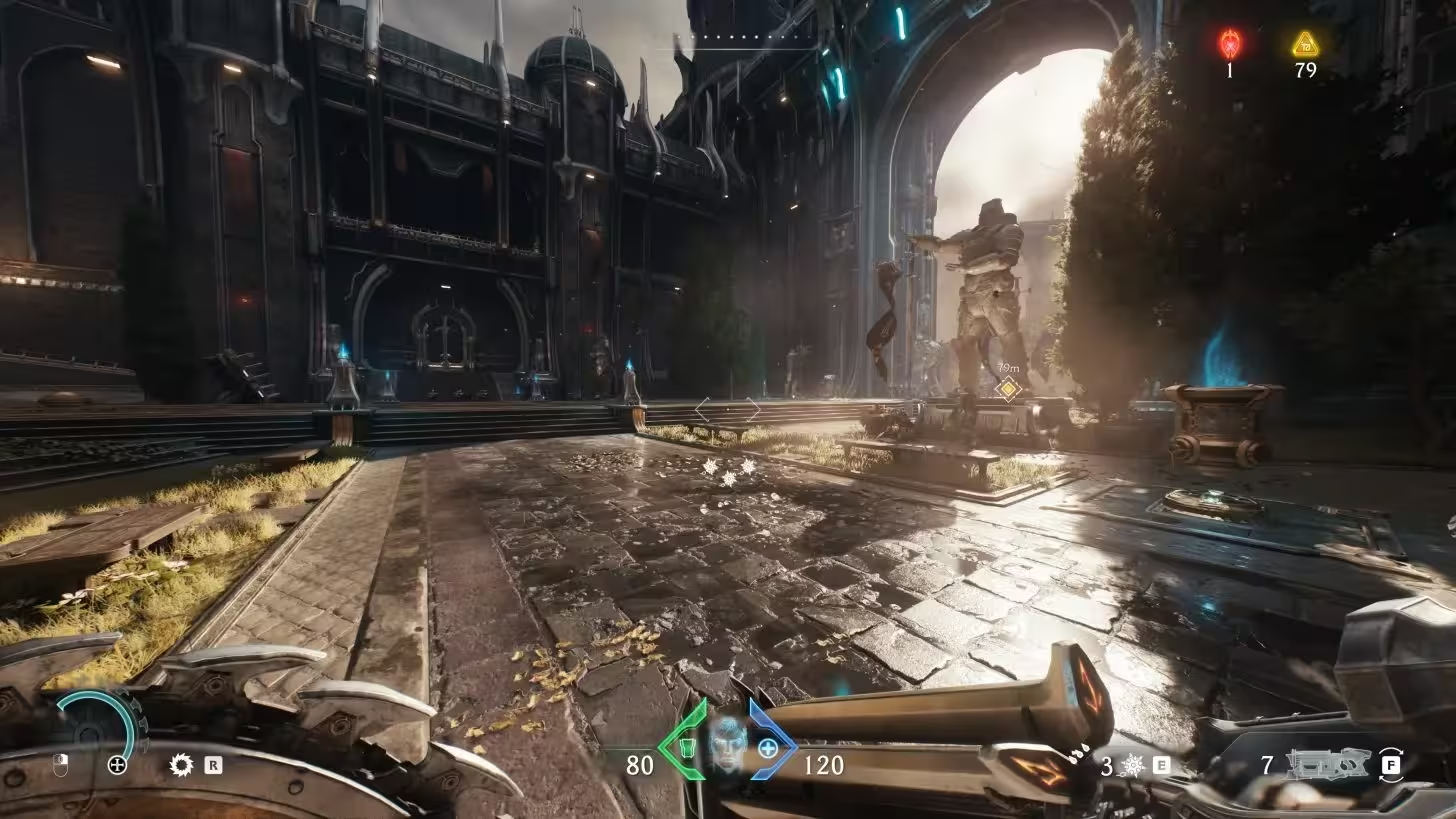
On Doom The Dark Ages, which uses ID Tech 8 and leans on Path Tracing, DLSS 4.5 preserves detail and visual richness while removing unstable shimmer on certain surfaces. Particles remain visible for longer and reappear less erratically compared with older reconstruction passes. Cyberpunk 2077 sees more even light propagation, cleaner reflections, and steadier signage and in-vehicle displays — small fixes that add up to a less distracting, more cinematic scene.

Performance? Don’t expect miracles. In our checks the frame-rate delta sat within the margin of measurement — roughly plus or minus three frames per second — whether on a top-end RTX 50 class card or a prior RTX 40 series GPU. In short: better image quality, similar performance. That’s a rare combo in graphics updates.
DLSS 4.5 doesn’t rewrite the rules of rendering overnight, but it addresses many of the old annoyances of denoising and temporal reconstruction while expanding support and developer control. For players who prize visual fidelity and for developers chasing more reliable ray-traced output without a heavy performance tax, this is one of those incremental leaps that quietly reshapes expectations.
Install the driver. Toggle Preset F. Then look for the little things you hadn’t noticed were broken — they might be the ones that make a game feel newer.


Leave a Comment
Comments
No comments yet. Be the first.