
2 Minutes
Samsung is quietly rolling out a redesigned Daily Board experience to older smart TVs, bringing new widgets, wallpapers, and a cleaner interface to sets such as the S90C OLED. The update appears to arrive as a background service change rather than a full OS upgrade.
A visual refresh and smarter widgets
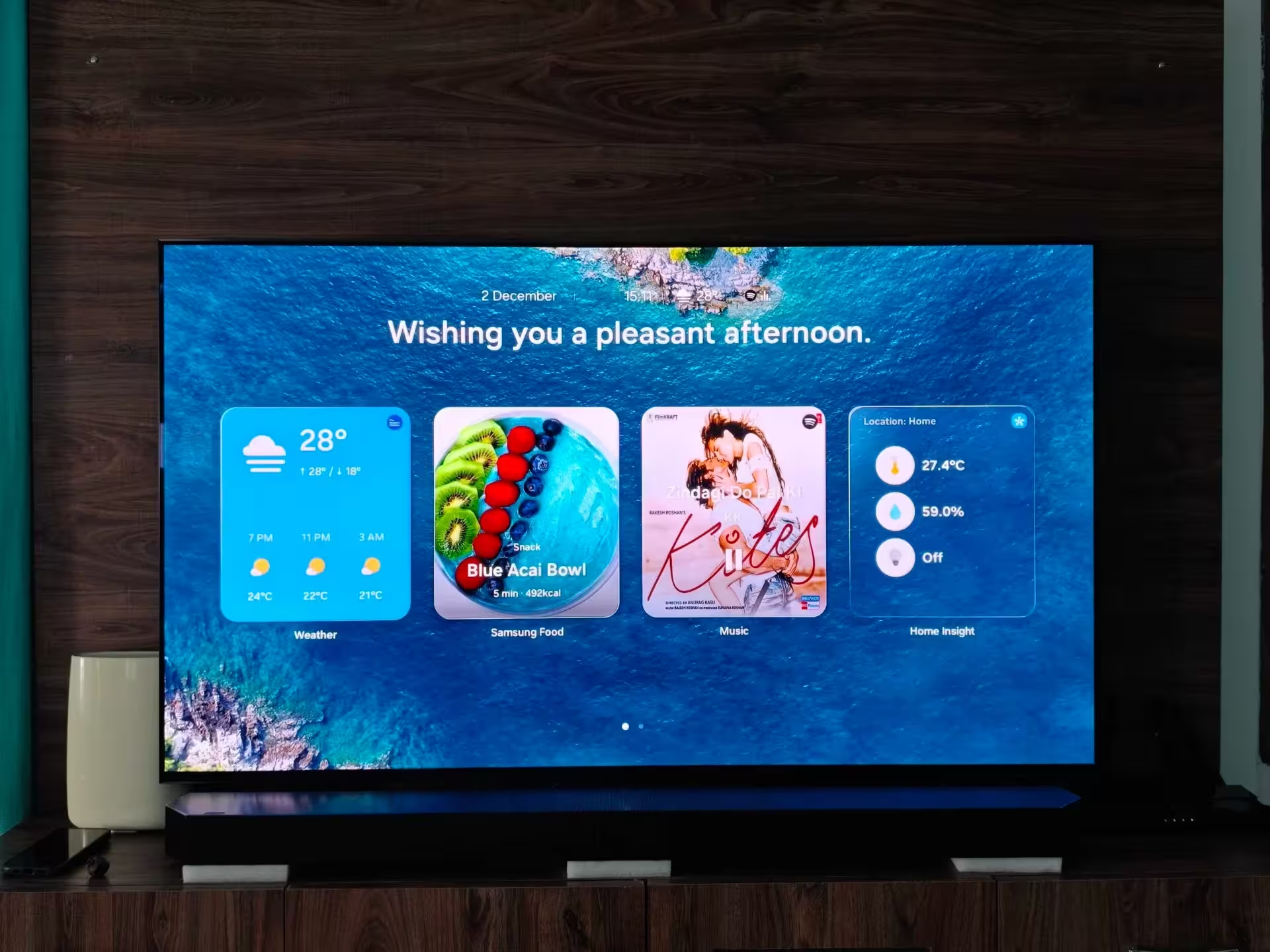
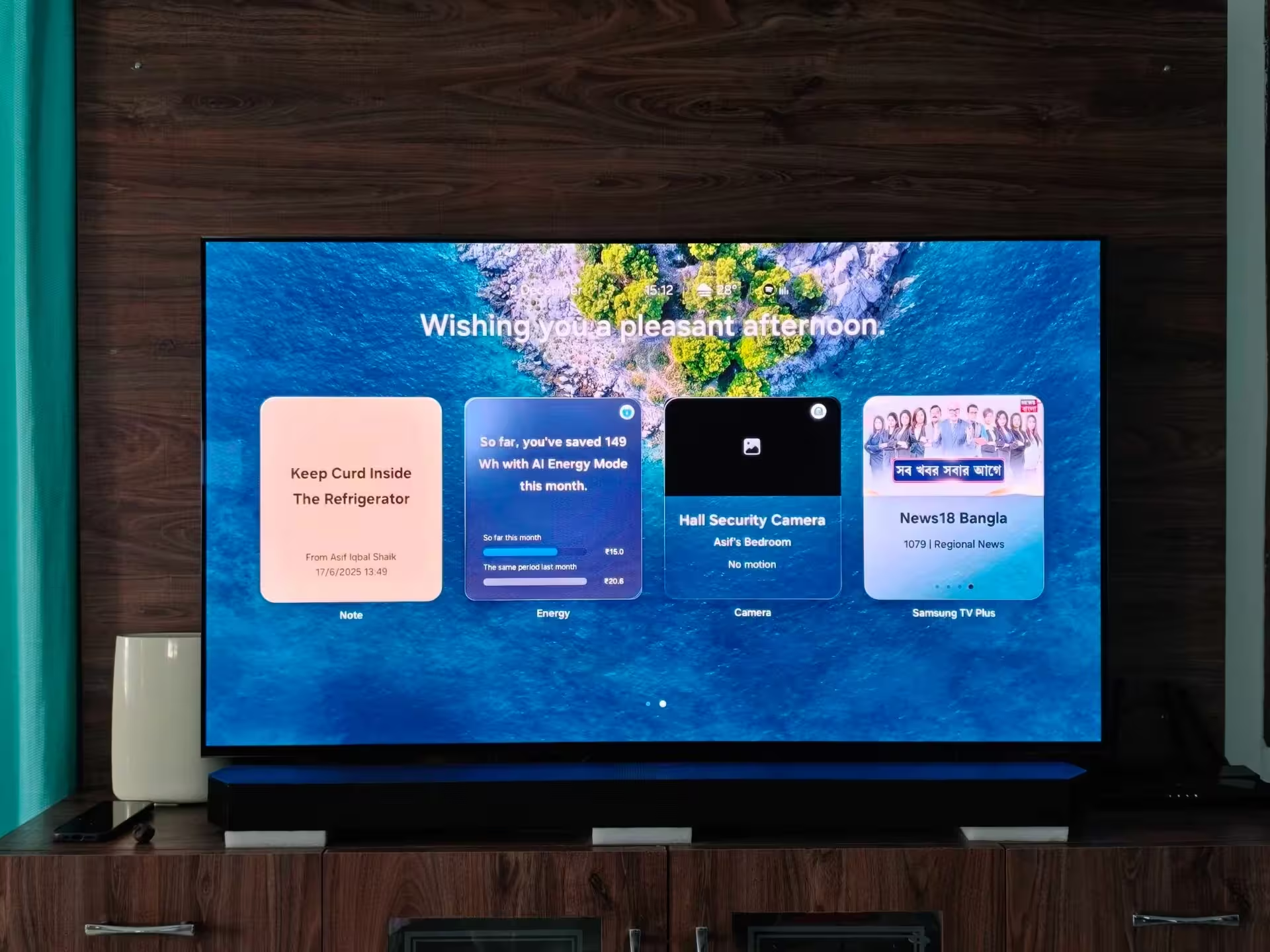
The revamped Daily Board mirrors the fresh look Samsung introduced on its latest TVs this year. Youll see glass-like widgets, a more organised layout across Widgets, Wallpapers, and Settings, plus several new widget options that make the ambient screen more useful.
When the TV is idle, Daily Board can display notes, weather, and the status of SmartThings-compatible devices. It also wakes automatically when the TV senses motion or when you call up voice assistants like Bixby or Alexa. In practice, that means your screen goes from blank to informative without extra steps.
How the update reached older models
On one S90C OLED test unit in India, the new Daily Board appeared without any visible OS update. That suggests Samsung pushed the change via a background service update tied to the feature itself, not the system firmware. If you own an older Samsung TV, you might see the refreshed Daily Board arrive the same way: silently and suddenly.
Which TVs are getting it first?
Samsung confirmed the new Daily Board is live on the S90C OLED in India. The company is likely rolling the design out to other recent models and regions over the coming days or weeks. Keep an eye on your TV after a few reboots or when you invoke Bixby or Alexa; the new interface can appear as soon as the service update reaches your device.
Tips to access and troubleshoot Daily Board
- Wake the TV with Bixby or Alexa to trigger Daily Board immediately.
- Check SmartThings connections if device status widgets dont show up.
- Restart your TV if the new layout doesnt appear — the change may depend on a background sync.
- If Daily Board still fails to load, verify network connectivity and that your TV is signed into your Samsung account.
For owners of recent Samsung TVs, the refreshed Daily Board makes the ambient experience feel more modern and useful. Whether you value quick glanceable info or just nicer wallpapers when the set is idle, this small update improves the living-room experience without demanding a major software upgrade.






Leave a Comment
Comments
No comments yet. Be the first.