
Apple's research team decided to ask a simple but unsettling question: what do real people actually expect from AI agents when those agents help with everyday tasks? The answer isn't tidy. It is messy, human and full of trade-offs.
In a paper titled Mapping the Design Space of User Experience for Computer Use Agents, researchers examined nine existing agents — names like Claude Computer Use Tool, Adept, OpenAI Operator, AIlice, Magentic-UI, UI-TARS, Project Mariner, TaxyAI and AutoGLM — to map how these systems present capabilities, handle errors and invite user control. The first phase was observational and classificatory: eight UX and AI specialists distilled the landscape into four core categories, 21 subcategories and 55 concrete design features. They ranged from how users feed input to the agent, to how transparent the agent’s actions are, to what control the user retains and how mental models and expectations are shaped.
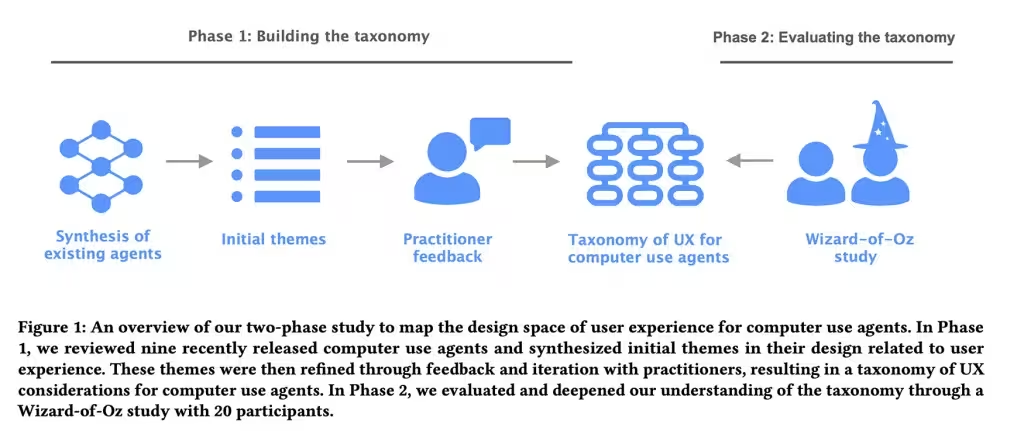
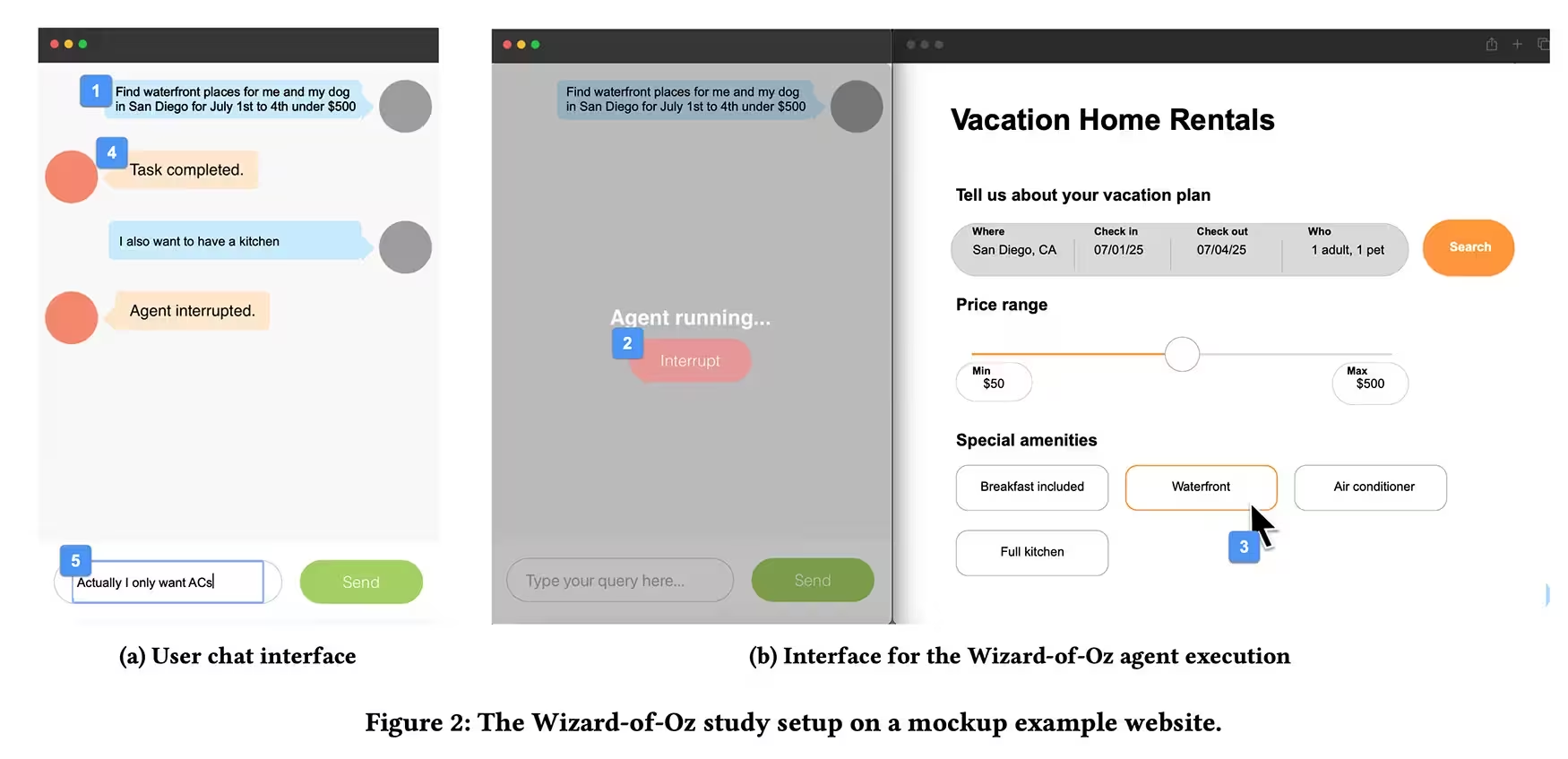
Then the team ran a Wizard of Oz experiment. Twenty participants with prior experience using AI assistants were asked to delegate tasks — booking a holiday, buying something online — through a chat-style interface while a researcher, out of sight, actually controlled the agent by keyboard and mouse. Participants could type commands and hit a stop button to interrupt the agent. Some tasks were deliberately sabotaged with errors or unexpected interruptions to observe how people reacted when the agent misstepped or made assumptions.
What emerged was a clear pattern: people want visibility into what an agent is doing, but they do not want to micromanage every click. Short demonstrations and occasional confirmations calm users. Total silence from the agent breeds suspicion. Abrupt automation without explanation does the same. Novices crave step-by-step explanations and soft checkpoints when actions have tangible consequences — purchases, account changes, anything that can’t be undone with a shrug. Experts, by contrast, prefer the agent to act more like a trusted colleague and less like a cautious assistant.
Trust, the study shows, behaves like glass: fragile and fast to crack. Hidden assumptions or small errors erode confidence quicker than smooth performance builds it. When an agent drifts off-script or faces ambiguity, participants preferred it to pause and ask a question rather than guess and act. That preference held even when extra confirmation felt mildly annoying — better safe than sorry, users seemed to say.
Design AI agents to adapt their level of transparency and control to both the task and the user's experience.
For designers and app-makers the implications are practical. Build interfaces that show intent and progress, let users stop or correct actions easily, and tune how much explanation you surface based on the stakes of the task and the user's familiarity with the tool. The paper provides a usable framework — not theoretical wallpaper — to shape those decisions: four categories and dozens of features you can test, iterate, and measure against real user behavior.
It’s not just about smarter models. It’s about smarter interactions. And in the short term, the little choices — a confirmation here, a visible step there, a timely pause when the agent hesitates — will shape whether people trust automation or turn it off.


Leave a Comment
Comments
No comments yet. Be the first.