
3 Minutes
Siri as a standalone app. Sounds simple, but it changes how you’ll interact with an iPhone and iPad. At WWDC, Apple teased iOS 27 and iPadOS 27 — developer previews are live now, public betas arrive next month, and the full release is slated for this fall.
The headline is obvious: Siri AI. This is not a surface-level widget; Apple positions it as the core of a broader "next‑gen Apple Intelligence" suite, deeply woven into system services. Expect conversational assistance that lives across apps, plus a dedicated app where conversations, suggestions, and actions are easier to manage. Think of it as Siri stepping out of the corner and into the flow of your day.
Design tweaks arrive alongside the AI push. Liquid Glass gets a facelift — now with a slider so you can dial transparency to your taste — and Apple says icons and window refraction are more consistent and sharper than before. Small visual changes, but they add a sense of polish. And yes, the icons really do look crisper on modern displays.
 |  |  |
Performance claims are bold. Apple promises up to 30% faster app launches, 70% quicker photo loading in the library, and AirDrop transfers up to 80% faster. There’s a new CPU scheduler and smoother handoffs between Wi‑Fi and cellular, all intended to make the interface feel more immediate. Those are the kind of improvements you notice on a daily basis: less waiting, fewer stutters.
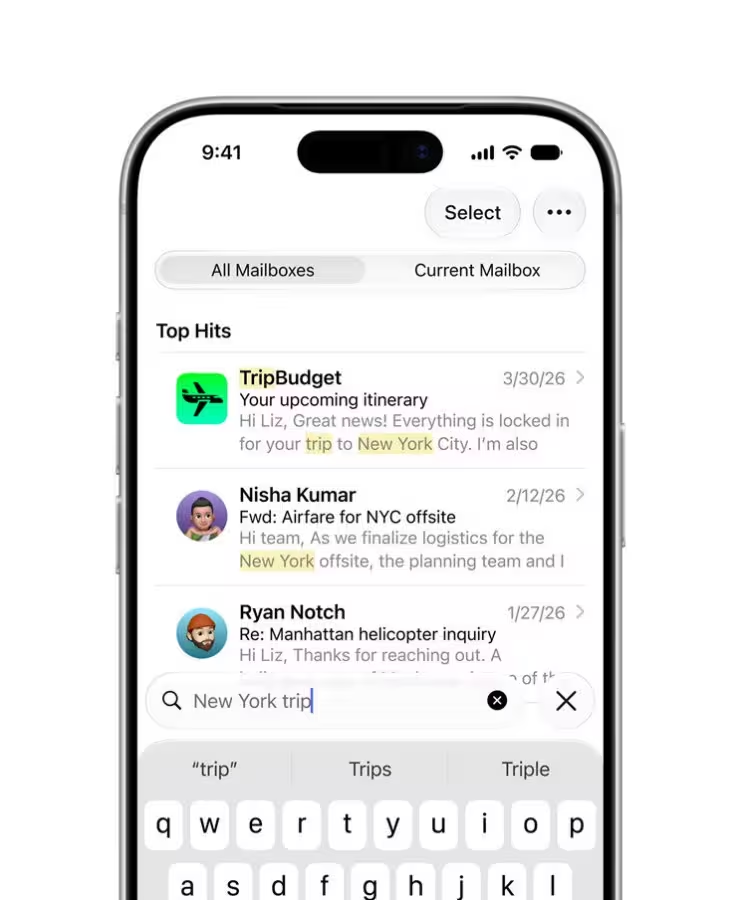
Accessibility and utility see a push as well. Mail search uses a new ranking system to surface the most relevant results first. VoiceOver gains richer image descriptions and tighter integration with the Action button; it can auto‑generate synced subtitles for videos and even translate existing captions on the fly. For users who rely on these features, the updates read like genuine quality‑of‑life wins rather than checkbox additions.
Apple also loosened a few ecosystem ropes. iCloud Shared Albums will now accept contributions from Android and Windows users, and albums can share full‑resolution photos — a practical change for mixed‑device households. Maps gets a beefed‑up Flyover mode, while GymKit support expands to the iPhone and AirPods Pro 3 so compatible gym equipment can talk directly to your devices during a workout.

On iPadOS 27, the focus tilts toward creative playback and smoother productivity. You can run a photos-and-videos slideshow with control over duration, transitions, and music, and then export it as a video. Messages notifications and unread counts sync more reliably across devices, calendar events can be created or edited by natural language descriptions, and file browsing to external drives is up to five times faster — a welcome boost for anyone using an iPad as a desktop replacement.
Put it all together and iOS 27 / iPadOS 27 feel like incremental polish with a single big pivot: Apple betting hard on on‑device and integrated AI, without discarding the performance and accessibility improvements that actually change daily usage.
Not every feature landed with exhaustive detail at the keynote; there are still questions about privacy handling, offline capabilities, and how tightly Apple will gate third‑party integrations. But if you care about a faster, smarter iPhone or iPad that starts to think more like a personal assistant and less like a tool, this is the update to watch. Will it be the moment Siri finally clicks? Try the beta and decide for yourself.


Leave a Comment
Comments
No comments yet. Be the first.