
2 Minutes
Samsung's upcoming One UI 8.5 aims to make photo sharing less risky by automatically hiding sensitive details in images before you send them. The feature, dubbed Privacy Protection, blurs or redacts things like ID numbers and passport fields so you can share only what you mean to.
How the new Privacy Protection works
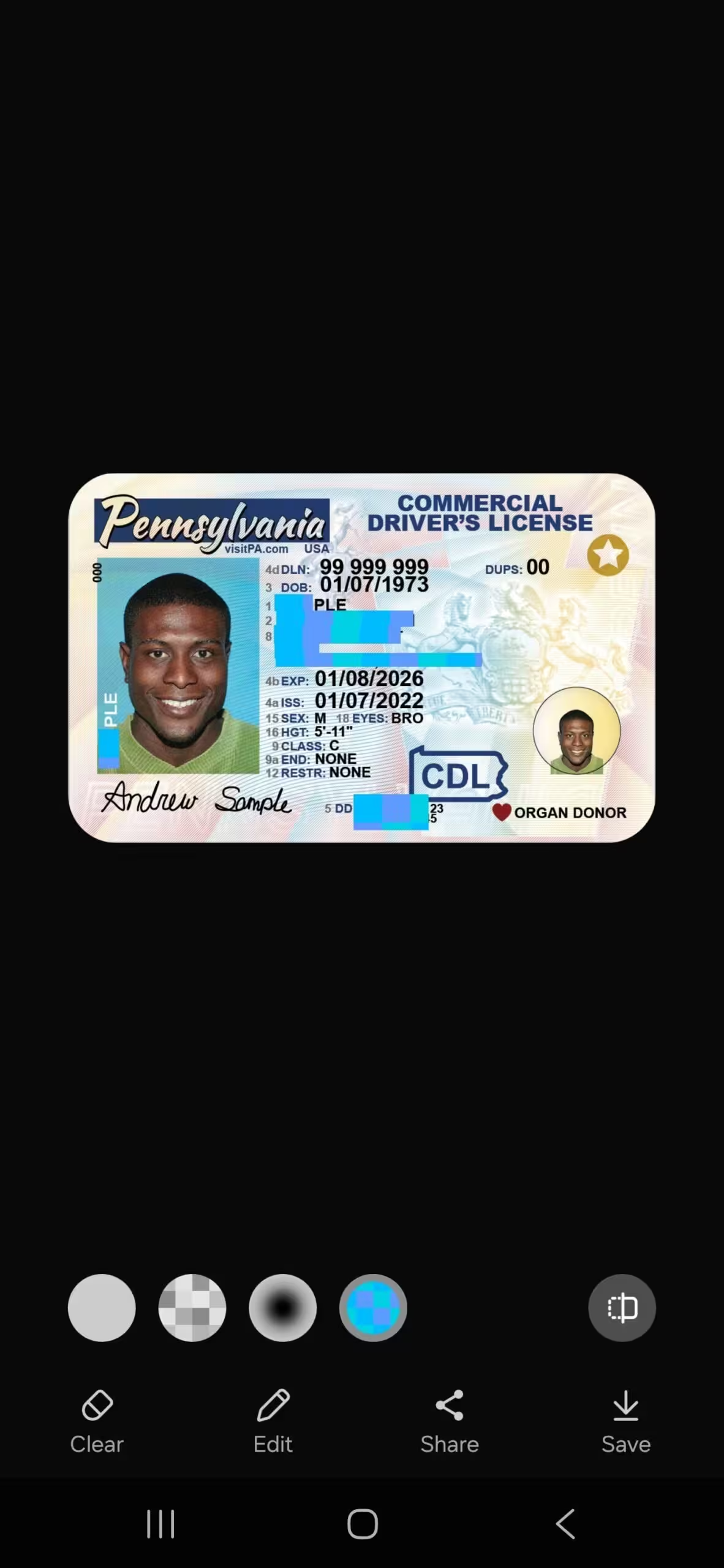
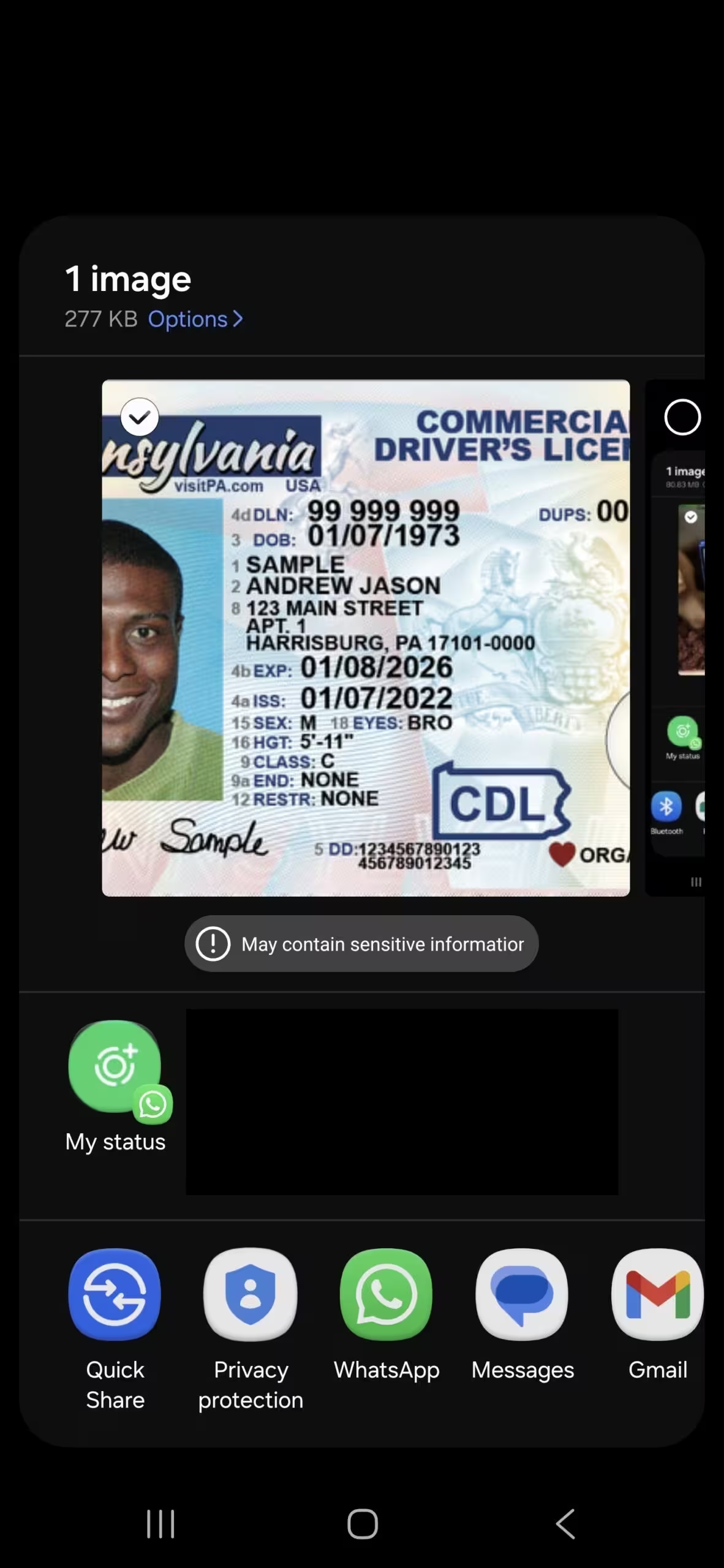
When you tap the share button on a device running One UI 8.5, there’s a new option tucked under the More menu: Privacy Protection. Select it and the system scans the image for potentially sensitive data—driver’s licences, passports, and other personal fields—and applies redaction automatically. You can choose between blur or blackout styles, toggle which elements remain visible, and even compare the edited photo with the original before sharing.
Control and clarity at your fingertips
Privacy Protection doesn’t assume it knows best. After scanning, it presents a detailed screen where you can fine-tune what to hide or show. A compare button sits on the right of that screen so you can preview the redacted result next to the unedited image. Only when you’re satisfied do you tap to share or save the edited file.
Why this matters for everyday users
Imagine sending a copy of your driver’s licence to a rental agency or a landlord. You may only want to reveal your name and photo—not your licence number or home address. This feature takes that hassle out of the equation, preventing accidental overshares and giving nontechnical users a simple, safer default.
- Automatic detection and redaction of sensitive fields
- Choice of redaction style (blur or blackout)
- Preview and compare before sharing
- Accessible from the native share sheet under More
On-device AI — a privacy-forward approach?
Samsung has previously limited similar capabilities to China. With One UI 8.5 it appears ready to roll the feature out globally. Early signs point to on-device analysis—possibly powered by a compact AI model like Gemini Nano—so images don’t need to leave your phone for scanning. That keeps the sensitive data local while still offering smart redaction.
Privacy Protection is one of several additions in the One UI 8.5 update. It’s a small change with outsized impact: fewer awkward messages, fewer accidental leaks, and a simpler sharing experience for millions of users.


.webp "Redmi 17C 5G: 6.9-inch Screen and 6,000mAh Power Lands")
Leave a Comment
Comments
No comments yet. Be the first.