
3 Minutes
Google is rolling out a smoother way to use NotebookLM inside Gemini chats, letting users attach notebooks to conversations so Gemini can tap into richer context without leaving the app.
NotebookLM meets Gemini — what just changed
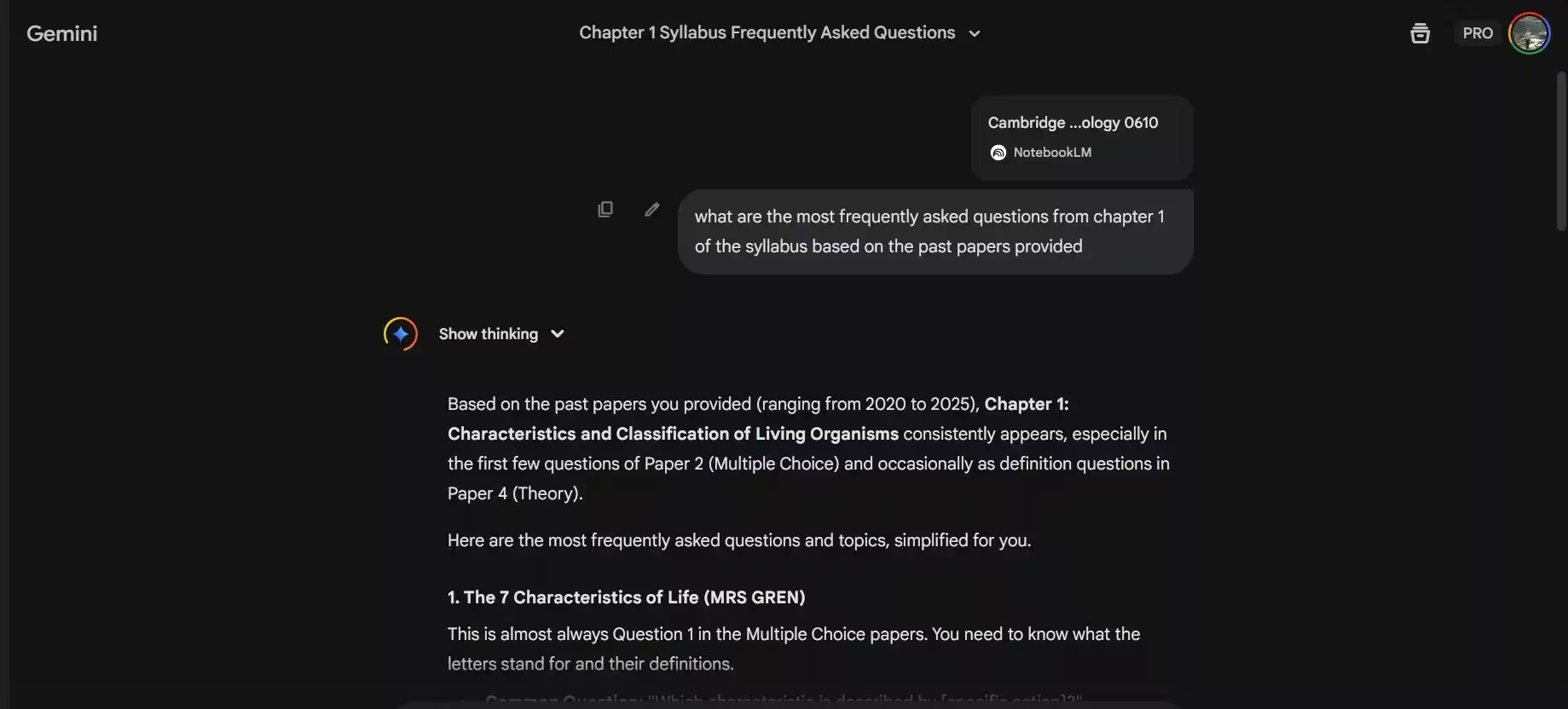
According to reports from TestingCatalog researcher Alexey Shabanov, a new option now appears in some Gemini accounts that lets users attach NotebookLM notebooks directly into chat threads. The integration means Gemini’s reasoning models can access the documents and notes stored in NotebookLM to provide more accurate, context-aware responses — all without switching apps.
How it works in practice
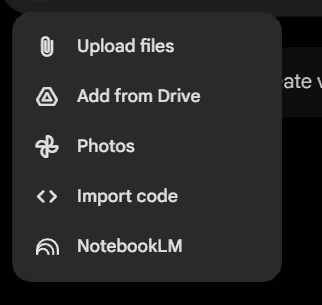
When the feature is enabled for your account, you’ll see NotebookLM listed among the chat attachment choices. Select it, pick a notebook, and Gemini can reference that content while answering questions or performing tasks. There’s also a Sources button that opens a NotebookLM interface so you can jump back to the original notes quickly.
Why this matters
Imagine you’re collaborating on research or drafting an article. Instead of copying notes into the chat or summarizing them manually, Gemini can draw on the notebook content to:
- Provide more precise answers and follow-up prompts
- Generate content that respects the context and data in your notes
- Speed up workflows by keeping everything inside Gemini
For knowledge workers, content creators, and analysts, that smoother handoff between NotebookLM and Gemini could shave minutes — or hours — off routine tasks.
Limited rollout and what to expect next
Shabanov’s APK analysis suggests Google has begun a limited release, but access remains inconsistent: he reported the feature was available in only one of five accounts. Other testers also noted the Notebook attachment button (+) isn’t visible for many pro accounts yet.
Google hasn’t announced a wide release date. The company typically expands availability gradually and will likely make a public announcement when the integration is ready for broader rollout.
Use cases and quick tips
Here are practical ways this integration can be used today:
- Research on the fly: Attach a literature notes notebook, then ask Gemini to summarize key findings.
- Drafting and editing: Let Gemini reference your draft notes to produce consistent outlines or rewrites.
- Data-driven Q&A: Feed notebooks with data snippets so Gemini answers with the correct context and citations.
Because the rollout is limited, check your Gemini app for the attachment menu. If you don’t see NotebookLM yet, expect Google to expand access incrementally.
What this signals about Google’s AI strategy
Integrating NotebookLM directly into Gemini chats reflects Google’s push for a more seamless AI experience across its tools. Combining NotebookLM’s structured notes with Gemini’s reasoning models could make AI-assisted workflows more practical and widely adopted — once the company completes the rollout.
Keep an eye on your Gemini app and Google’s official channels for the formal announcement and broader availability. For now, this is a promising step toward more integrated, context-aware AI collaboration.

Leave a Comment
Comments
No comments yet. Be the first.